Rename Anything
Built on CAPIE
Click the pencil next to a name, type a new one, press Enter. Rename Anything lets you rename your country, its leader, its parties, its states and its cities in Hearts of Iron IV, in the panel where the name is shown. As an overlord you can rename your subjects too.
Pre-release
Rename Anything is not on the Steam Workshop yet. The features marked Works today were checked in the game on development builds, single player, HOI4 1.19.3.0. Multiplayer is not supported.
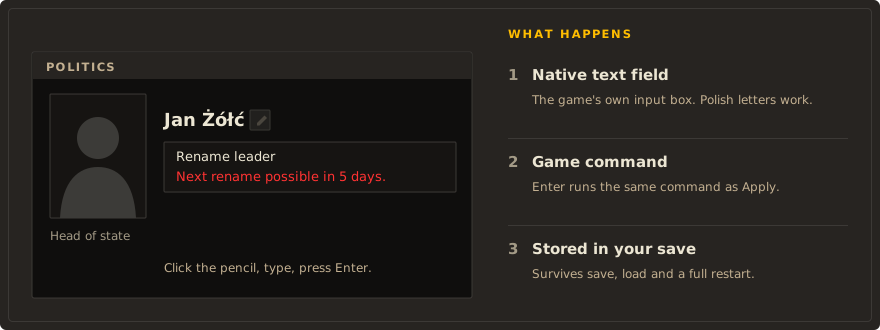
HOI4 lets you name a division whatever you like, but your own country, its leader and its ruling party are stuck with whatever the game or a focus tree gives them. Rename Anything gives you a real text field instead: any name you can type, Polish letters included, saved in your campaign.
What you can rename
- Works today checked in the game
- In progress built, not yet checked or not finished
- Planned decided, not built
- Not supported do not rely on it
| Object | Where | Status |
|---|---|---|
| Your country's name and adjective | Pencil on the Politics panel title | Works today needs CAPIE; flag and colour stay |
| Your country's leader | Pencil next to the portrait in the Politics panel | Works today |
| Your ruling party, short and full name | Pencil in the Politics panel | Works today |
| Parties of the other ideology groups | Same editor, one tab per group | Works today |
| States | State view on the map, or the name editor | Works today |
| Cities (victory points) | "Cities" in the state view, or the name editor | Works today |
| Generals, admirals, advisers | The name editor, from the decision "Rename characters" | Works today |
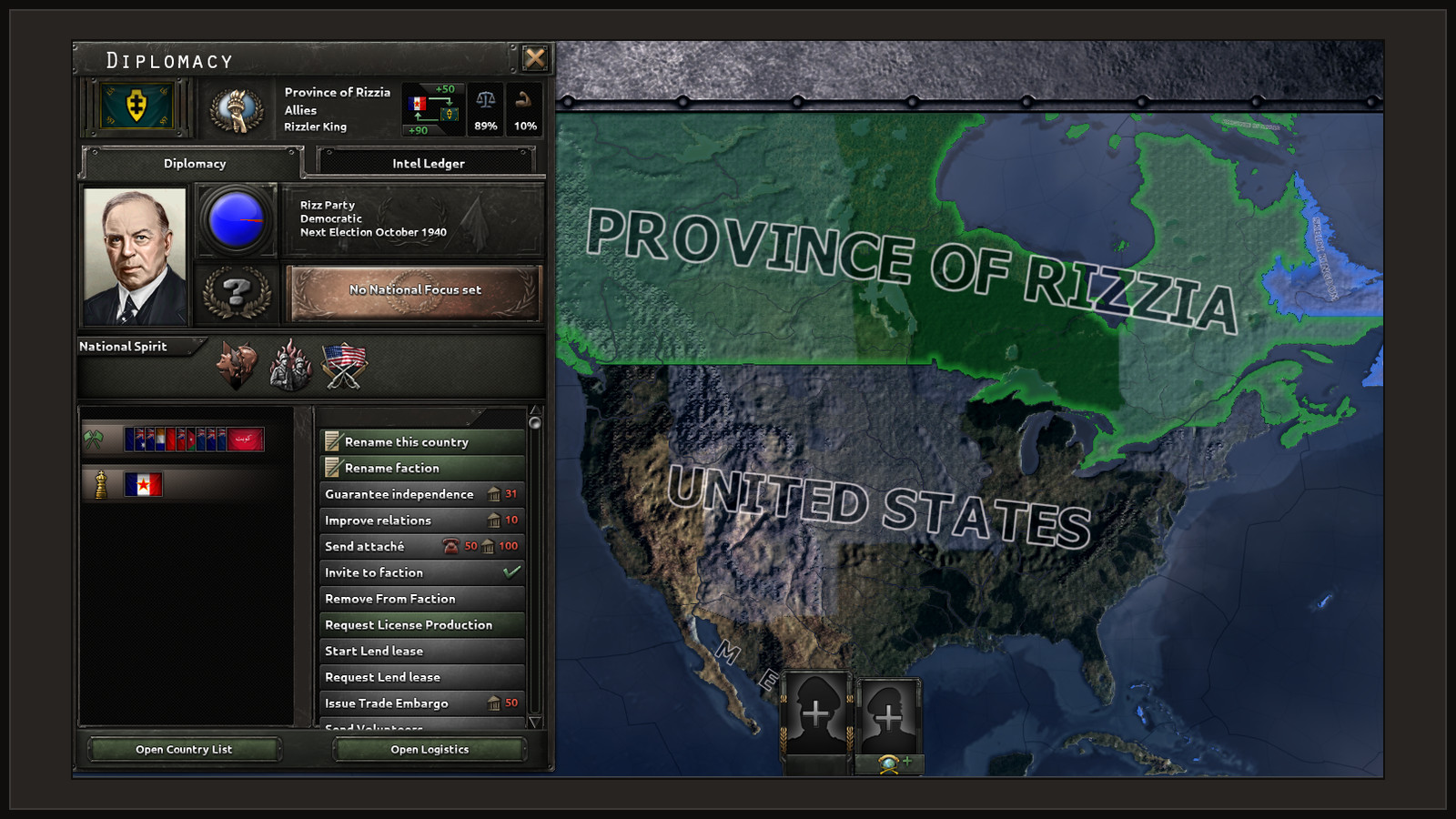
| Your subjects: name and adjective, leader, ruling party | Diplomacy, action "Rename this country" | Works today needs CAPIE |
| Back to the game's country name | "Restore name" in the country editor | In progress |
| Your faction's name | Diplomacy, action "Rename faction" | In progress needs CAPIE 1.4; checked once on a developer build |
| Your leader's portrait | In progress being prepared; see game rules | |
| Your country's flag | Flag tab of the country and subject editors | In progress needs CAPIE 1.4; checked once on a developer build |
Names survive saving, loading and a full restart of the game. Map labels, diplomacy, tooltips and events pick up a new country name; decision titles keep their own text.
The host can also set two game rules in the lobby: who may rename what, and whether a renamed country makes the news.
What needs CAPIE
Rename Anything is ordinary HOI4 script and interface files. Some things need more than script can do, and those come from CAPIE (Cyprian's API Extender), a small native library:
- your country's and your subjects' names and adjectives, because the game has no script effect that takes free text for a country;
- the in-panel text fields, because a script cannot read what you type into the game's own text field;
- updating the leader's name in the open Politics panel at once.
States, cities and characters work without CAPIE, through the name editor and its on-screen keyboard. Without CAPIE the pencils that need it are hidden and your country shows the game's name.
Po polsku: Rename Anything po polsku.